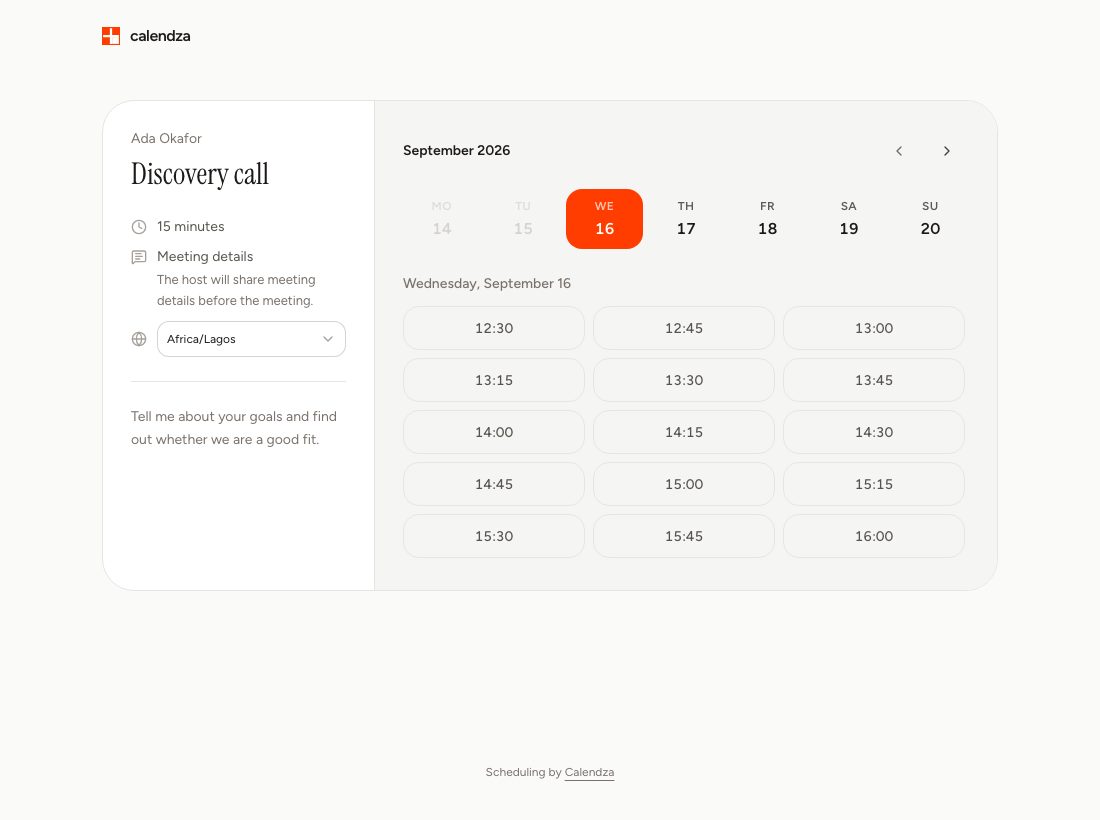
Your client sees when you are available
Send your discovery-call link. Your client picks an available time, answers your questions and receives a confirmation. You both have the details without another email thread.
View full-size screenshotClient consultations
Let clients choose a time for a discovery call or advisory session. Calendza checks your availability and sends the booking details.
See it in practice
You offer a free 15-minute discovery call and a paid 60-minute advisory session. Give each its own link so clients know what they are booking.
Actual Calendza interface with fictional demo details. This example does not create a booking.
Send your discovery-call link. Your client picks an available time, answers your questions and receives a confirmation. You both have the details without another email thread.
View full-size screenshotGet started
Add an event type with a name, duration, meeting location and any questions for your client.
Choose your working hours and connect the calendars Calendza should check for conflicts.
Send it to a client or add it to your email signature. They choose a time and receive a confirmation.
Questions, answered
Yes. One event type can offer its main duration plus additional durations, so clients choose without making you manage several nearly identical links.
Yes. Paid event types connect the reservation to its checkout so the appointment is not treated as paid until the payment provider confirms it.
Yes. Free includes event types, calendar connections, reminders and paid bookings. Personal Pro adds branding, revenue reports and a lower fee on personal paid bookings. See Pricing for the details.